Network Logs: Gold Mine for GTM Signal Collection
A "new" way of web scraping.

If you’re running any GTM engineering workflows, signal collection is the foundation of most of what you are building upon.
They trigger workflows and lets you reach prospects in their current state of mind (be its inbound or outbound).
Signals: Quick Recap
Broadly speaking, there are two types of signals.
External / 3rd party: anything happening outside your own product:
Social signals (LinkedIn posts, founder activity, exec moves)
Job signals (open roles, hiring spikes, title changes)
Technographic signals (stack adds and drops)
Funding signals (rounds, M&A, IPO filings)
Event signals (webinars, conferences, speaker lists)
Aggregation signals (G2 reviews, Crunchbase changes, directory listings)
& many more
Internal / 1st party: anything happening inside your own ecosystem:
Website activity
Product usage
CRM and marketing engagement
& many more
Two ways to get them: buy them from data vendors, or scrape them yourself.
This article is about the second option and specifically about the bottleneck most people hit when they try to scale it.
Why Scraping Breaks at Scale
When you’re using an LLM to extract data from rendered HTML, every single page is costing you:
5-10 seconds in a headless browser
50-100KB of HTML pushed into the context window
Maybe 200 bytes of that is data you actually need
One CSS class change away from breaking entirely
That’s around 99% wastage per page. And it’s super slow too.
Compound that across 200-300 companies you want to qualify in a week, the workflow becomes too slow and too expensive to be worth running on a schedule.
Introducing Network Logs
Network logs are the record of every HTTP request a web page makes when it loads. You can see them in any browser by opening DevTools → Network tab.
From analyzing the network logs of a site, you’re typically looking for two things:
Public-ish API endpoints. Endpoints the company uses for their own internal purposes (typically to populate their own front-end), but are still accessible to the public without authentication.
Direct JSON calls. Calls where the important data you’d otherwise be scraping from the rendered page has already been passed back as structured JSON.
The unlock from finding either of these is the same: you can pull structured data out of a website in bulk, very quickly. No rendering pages in a headless browser. No feeding HTML to an LLM for extraction.
How to Find Network Logs
Right-click on the page → Inspect.
Go to the Network tab.
Reload, paginate, scroll. Whatever triggers the data you want to load.
Right-click anywhere in the request list → Save all as HAR.
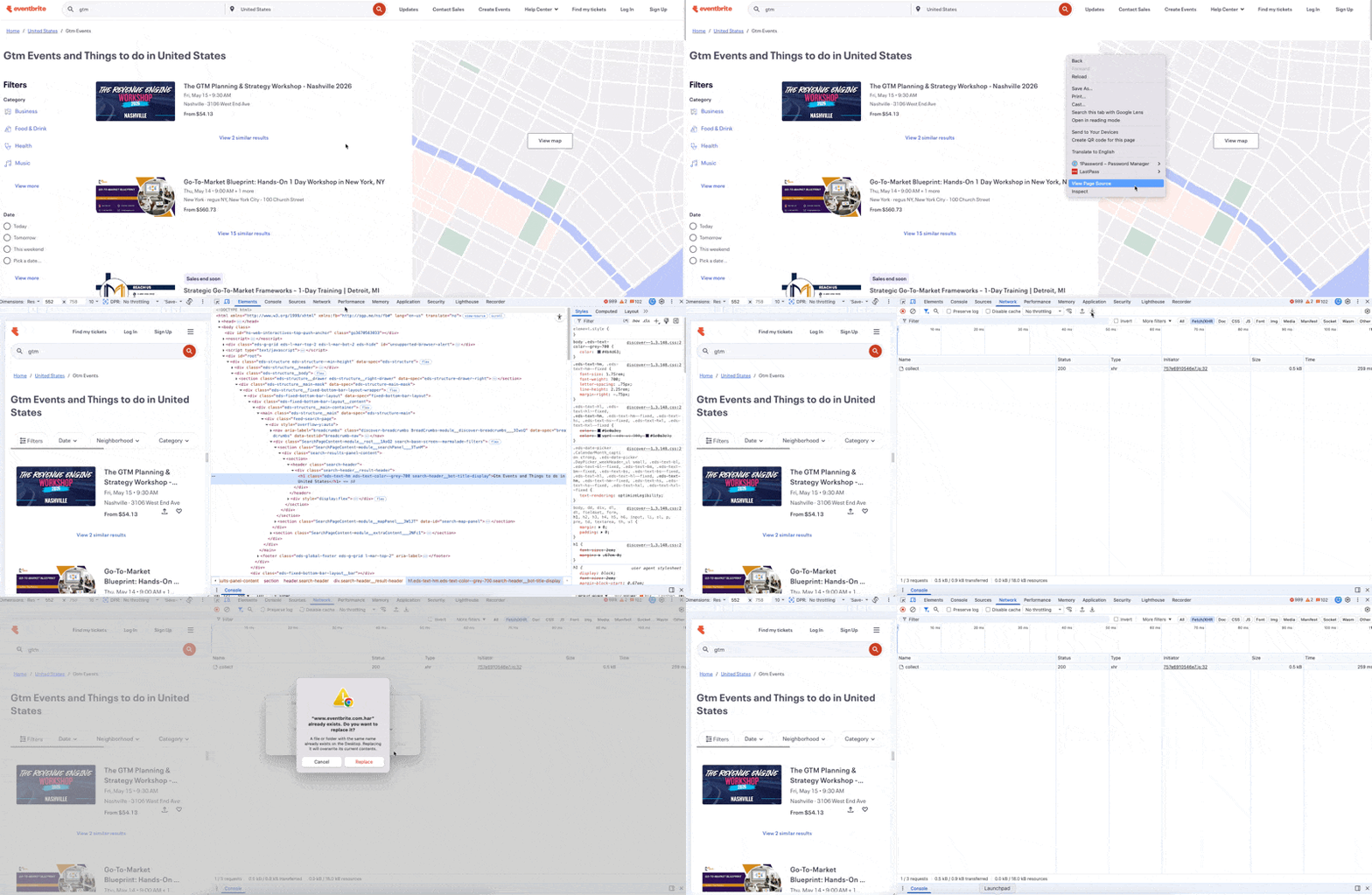
Upload the HAR file into Claude. Ask it to find the request where the API or structured JSON data lives.
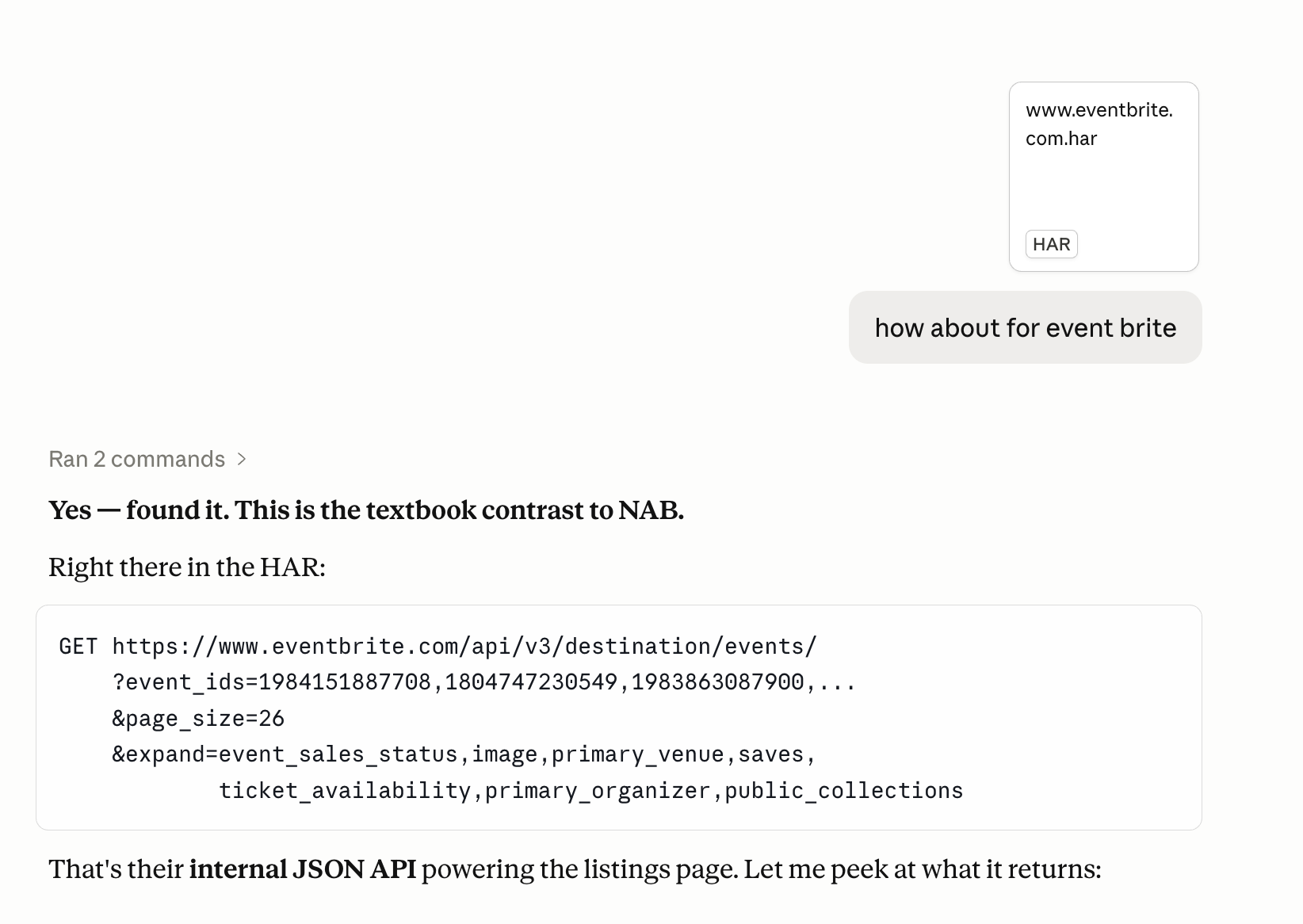
Eventbrite Example
As a GTM engineer at Riverside, one of my main responsibilities is breaking into the webinar market. A lot of companies in our ICP run webinars regularly, so I needed a way to surface them at scale.
I started with Eventbrite. It’s one of the biggest event aggregators out there, and a lot of webinar organizers list their events on it.
I tried the network logs approach on it.
963 unique online webinar events from Eventbrite in about 12 seconds across all 49 pages. All neatly structured into the columns I actually needed (event name, start/end dates, timezone, organizer ID, event URL, language, etc).
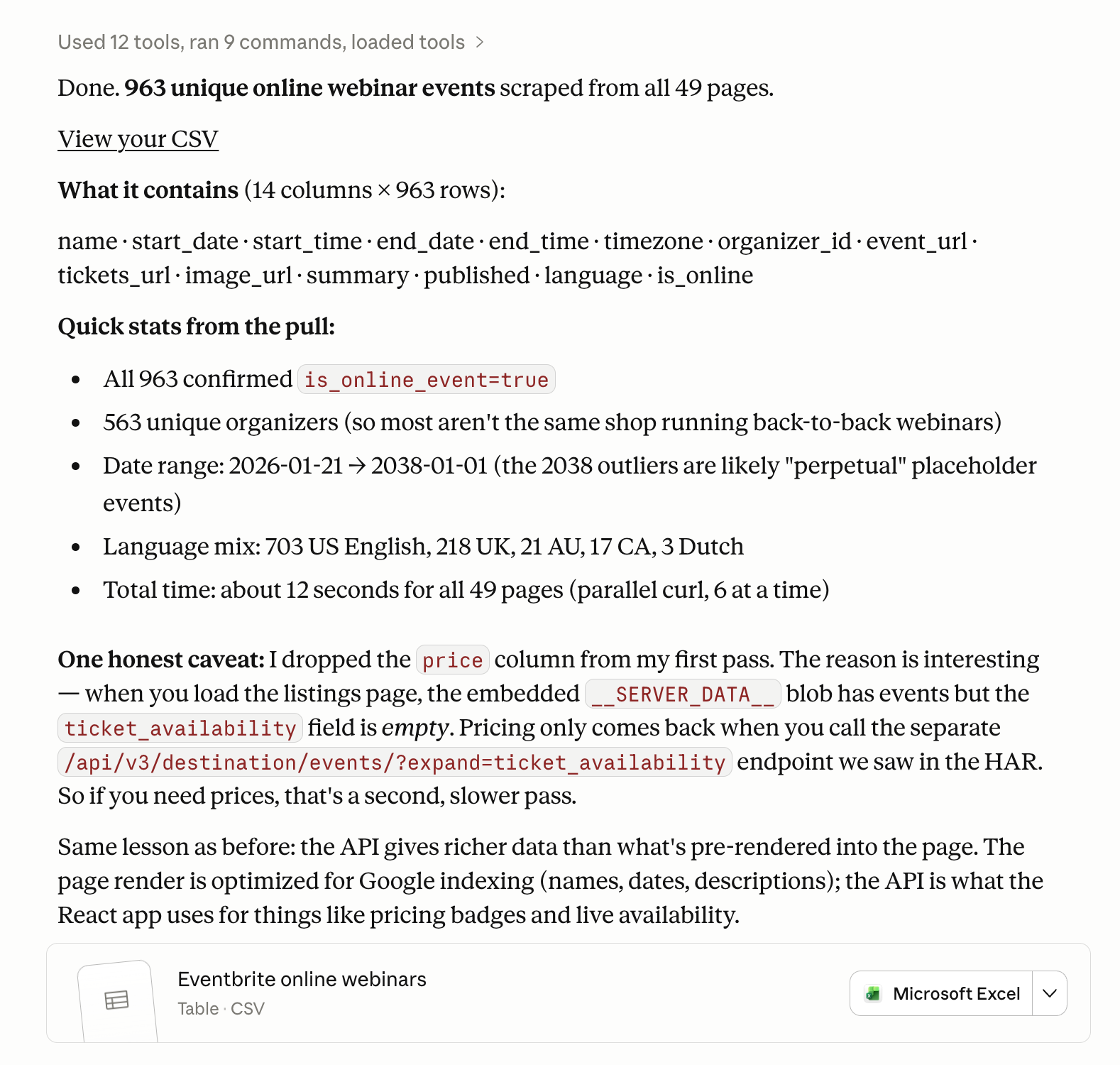
963 unique online webinar events from Eventbrite in about 12 seconds across all 49 pages. All neatly structured into the columns I actually needed (event name, start/end dates, timezone, organizer ID, event URL, language, etc).
Doing this with LLM scraping would have taken hours to troubleshoot and probably burned through a chunk of tokens. With the network logs approach, it was a HAR file upload, a Claude prompt, and a quick fetcher script.
Amplification
LLM scraping is slow because every page has to render in a headless browser. It’s expensive because every page gets fed into the context window. Two costs you can’t really escape.
Network logs cuts both at once. No rendering. No LLM extraction. Your time-to-production drops significantly, and your token bill drops with it.
For a GTM engineer, I think that’s the biggest unlock. It amplifies your output. The same person can ship more signal workflows, run them more often, and not worry about costs blowing up at scale.