
I was building an agentic workflow last week with the Apollo.io MCP as one of the steps.
And I kept hitting the same recurring problem: Why is my token consumption so high?
A simple Apollo.io MCP call where I was just:
Running a people search
Pulling their job titles
Enriching the contact to find their emails
Letting the downstream LLM decide if the title was a good fit for outreach
Would easily eat 7-10% of my session limits in a single go.
MCP = Major Context Problem
My instinct kicked in and I’m guessing that there’s a ton of stuff getting pushed into Claude that I don’t actually need.
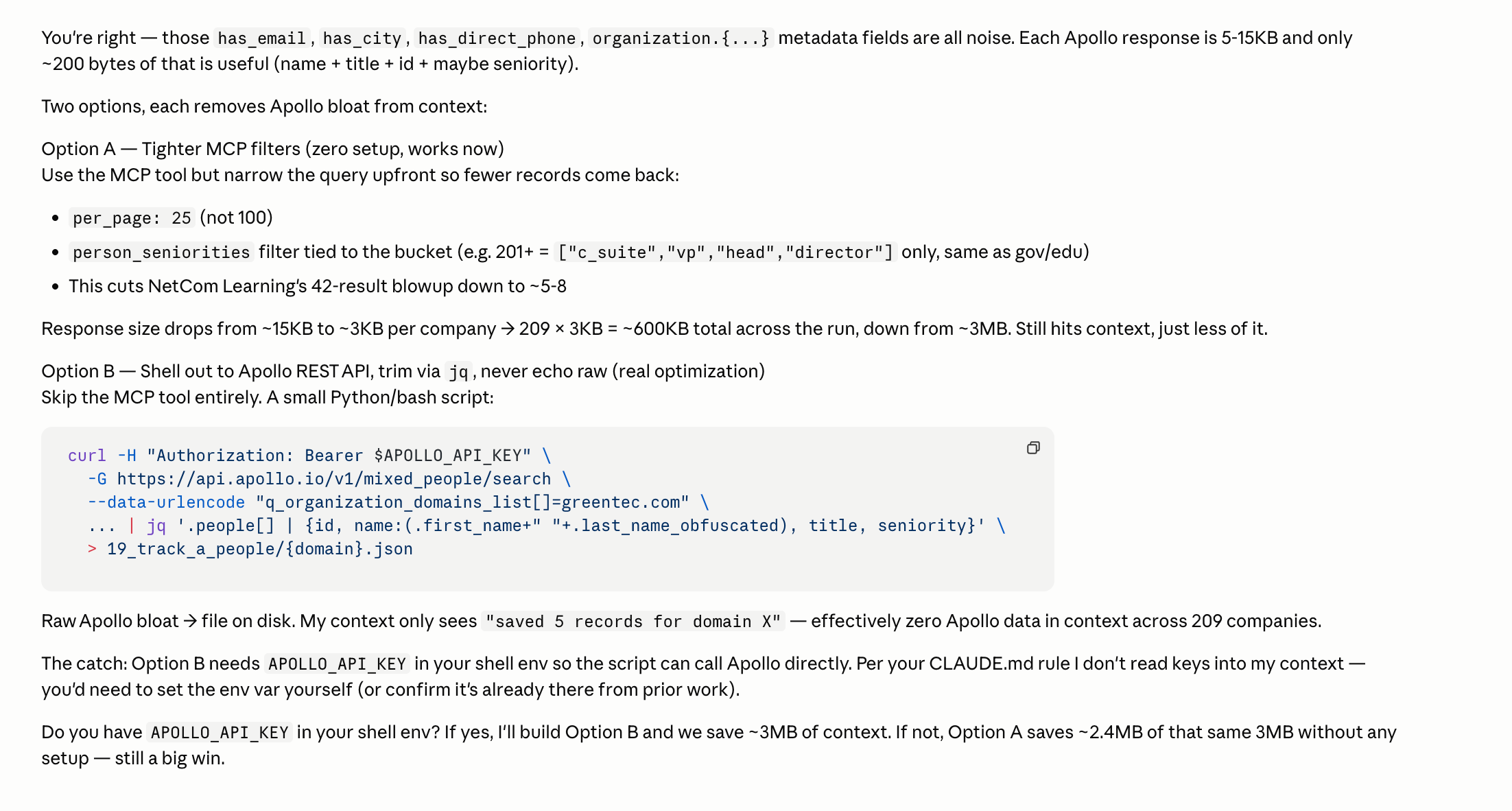
And I was correct! Take a look at the results above.
With the Apollo.io MCP, when I’m running a people search + enrichment, it dumps the full response of that tool call into the context window. Most of it isn’t needed.
Each enriched Apollo response is 20-30KB per person. Maybe 100-200 bytes of it is actually useful.
That’s around 99% wastage added to the context window per profile.
When you stack that across 200-300 profiles in a single workflow run, and the context window bloats up massively.
How MCP actually works under the hood:
When you call an MCP tool, the server returns a JSON response. That entire response gets injected into the context window. Your Claude Code gets charged tokens on every field, even ones that is not relevant to your workflow
Some MCP tools accept a
fields/select/filterparameter but it’s very rare. That could help in requesting fewer fields which shrinks the response down.
A quick example of the waste
Here’s what I needed for my workflow:
{
  "name": "Jane Doe",
  "title": "VP of Marketing",
  "email": "jane@company.com"
}
Here’s what Apollo’s MCP actually returned per profile which gets pushed into the context window:
{
  "person": {
    "id": "...", "first_name": "...", "last_name": "...", "name": "...",
    "linkedin_url": "...", "title": "...", "photo_url": "...",
    "twitter_url": null, "github_url": null, "facebook_url": null,
    "extrapolated_email_confidence": null, "headline": "...",
    "email": "...", "email_status": "verified",

    "employment_history": [
      // 6 full entries, each with 18 fields like _id, created_at,
      // updated_at, degree, kind, major, grade_level, raw_address...
      // mostly null. Every single one.
    ],

    "contact": {
      // a near-duplicate of the person object, plus:
      // hubspot_vid, hubspot_company_id, salesforce_id, salesforce_lead_id,
      // salesforce_contact_id, salesforce_account_id, crm_owner_id,
      // emailer_campaign_ids, has_pending_email_arcgate_request,
      // email_needs_tickling, queued_for_crm_push, godmode_apollo_creator,
      // existence_level, label_ids, source_display_name, contact_emails: [...],
      // phone_numbers: [...], typed_custom_fields, custom_field_errors...
    },

    "organization": {
      "id": "...", "name": "...", "website_url": "...", "linkedin_url": "...",
      "twitter_url": "...", "facebook_url": "...", "alexa_ranking": 3514,
      "founded_year": 2015, "logo_url": "...", "primary_domain": "...",
      "sic_codes": ["7375"], "naics_codes": ["54161"],
      "industry": "...", "industries": [...], "secondary_industries": [],
      "industry_tag_id": "...", "industry_tag_hash": { ... },

      "keywords": [
        // 156 strings. Every single keyword Apollo has ever associated
        // with the company. "sales engagement", "lead generation",
        // "predictive analytics", "lead scoring"... 156 of them.
      ],

      "technology_names": [ /* 92 strings */ ],
      "current_technologies": [
        // The same 92 technologies AGAIN, this time as objects with
        // uid, name, category. So tech stack ships twice in the same response.
      ],

      "funding_events": [
        // 6 funding rounds with full investor lists, news URLs, currencies
      ],

      "annual_revenue": 150000000.0, "annual_revenue_printed": "150M",
      "organization_revenue": 150000000.0, "organization_revenue_printed": "150M",
      // (yes, revenue ships 4 times across 4 fields)

      "org_chart_root_people_ids": [...], "org_chart_sector": "...",
      "org_chart_removed": false, "org_chart_show_department_filter": true,
      "organization_headcount_six_month_growth": 0.0656...,
      "organization_headcount_twelve_month_growth": 0.197...,
      "organization_headcount_twenty_four_month_growth": 0.275...,
      "snippets_loaded": true, "retail_location_count": 0,
      "suborganizations": [...], "num_suborganizations": 1,
      "short_description": "...500 word company bio..."
    },

    "intent_strength": null, "show_intent": false,
    "email_domain_catchall": false,
    "departments": [...], "subdepartments": [...],
    "functions": [...], "seniority": "..."
  },
  "request_id": -8584845490661980443
}
The full response was just under 30KB. I needed roughly 100 bytes of it.
That’s a ~99.6% waste ratio per profile.
Here are the datasets that resulted in this context bloat:
The duplicated
contactobject: most of thepersondata ships twice, plus a pile of CRM IDs (HubSpot, Salesforce) that only matter if you’re syncing back into a CRM.156 company keywords as a flat string list: useful for Apollo’s own search but useless to my workflow.
Tech stack shipped twice: once as
technology_names(92 strings), once ascurrent_technologies(92 objects with uid/name/category).employment_history: 6 jobs back, each with 18 fields, most of themnull.Funding history: 6 rounds with full investor names and news URLs.
None of that helps a “is this the right title for outreach” decision.
Multiply that by hundreds of profiles. You can see where the token consumption goes.
So… are API calls just better?
Technically, yes. But with caveats.
Downside #1: discovery
Using direct API calls means you (or Claude Code) need to know which endpoints actually exist.
Some APIs are massive libraries (Cloudflare’s docs at https://developers.cloudflare.com/api/ are a good example). You have to figure out a way to push all those endpoint definitions into Claude, which can take time.
Downside #2: API key security
Most MCP tools use OAuth, which I personally find more secure than juggling API keys. Keys can leak. Keys end up in plain text in scripts. OAuth flows are generally tighter and easier to revoke.
Downside #3: Workflow maintenance
If the tool provider ever changes their API end points, your script breaks. With MCP, it takes that maintenance effort for you.
Your custom script does not. The example I used: if a vendor renames org_id to organization_id between March and June, and your workflow silently breaks until you notice.
MCP + API: best of both worlds
The best of both worlds? My recommendation is to use both.
Use the MCP to discover and prototype the endpoints. Then get Claude Code to write a Python script that hits those endpoints directly, pulling only the fields you actually need. Push that script as your deployed agentic workflow.
MCP → quick and easy setup. Perfect for prototyping, idea validation, and go-to-market hacks.
API → for deployment at scale, where cost-per-run, consistency, and predictable scaling matter.
You get MCP’s speed during exploration, and the API’s efficiency once you know what you’re actually building.
MCP for Day 1. API for Day 100.
If I’m still figuring out whether a workflow is even worth automating, MCP wins because the setup time is near zero. The token waste is annoying but acceptable.
The moment the workflow proves itself, that’s where the equation reverses and token waste compounds. A workflow that runs 500 times a week burns through credits fast if every call is dragging 90% noise into the context window.
That’s when it’s worth the time to rewrite it as a script that hits the API directly, returns only what you need, and runs on a fraction of the tokens.
I might sound naive sorry for that but genuinely want to learn this, could you help me understand
When an MCP tool or API call returns a large payload — say, 1000 data points intended for chart rendering or analysis — how is that data handled in the context window?
Specifically:
1. Does the full tool result get injected verbatim into the context, consuming tokens proportionally to the payload size?
2. Or is it expected for claude to have any built-in summarization/truncation layer that condenses large tool responses before they're counted against the context limit?bloa 3. As an architectural consideration:: is it better to have the MCP server return raw data (and let the client/Claude process it), or should the server return a pre-rendered artifact but in that case would other ai tools accepttto show it..