
Having launched 5 fully operationalised, end-to-end agentic workflows in my day job, I’ve started to see the differences between an agentic workflow and an AI agent.
The way I think about it:
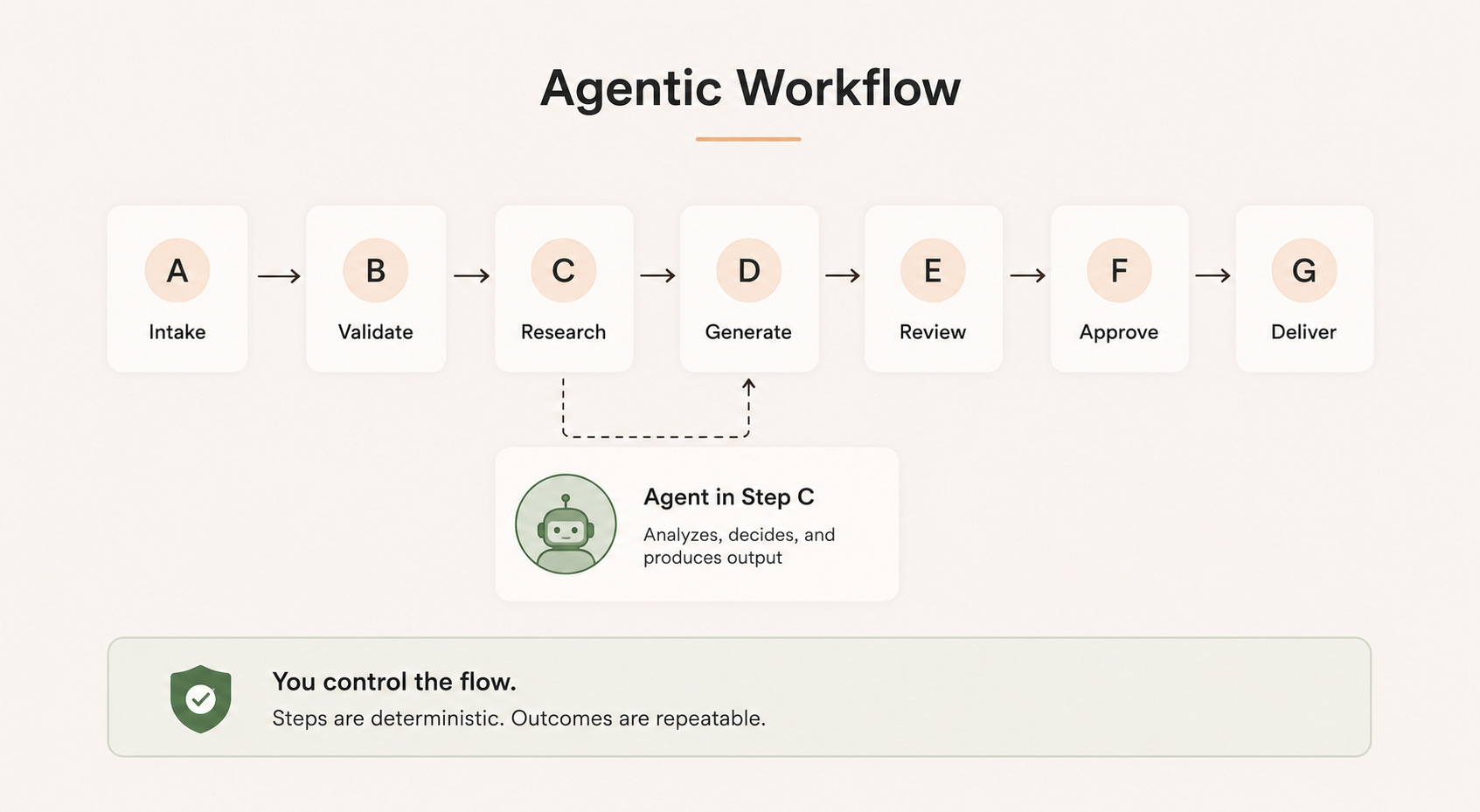
Agentic workflow: I own the order things happen in.
The pipeline runs step A to step G in a sequence I’ve laid out, and that sequence doesn’t change.
What I hand off to the agent is the decision-making inside a step. So within any one step there might be an agent doing non-deterministic work to get the result, but it still hands control back to the next step I’ve defined.
AI agent: it’s the other way round. The agent decides the steps itself.
It decides what steps are needed to achieve your set objective.
The main reason I find an agentic workflow more useful than an AI agent?
“Repeatability of results.”
Because of this, adding deterministic scripts into your agentic workflow becomes important. They act as checkpoints by making sure each step actually ran, ran in the right order, and produced something fit to pass over to the next step.
Types of Deterministic Scripts I’ve Deployed
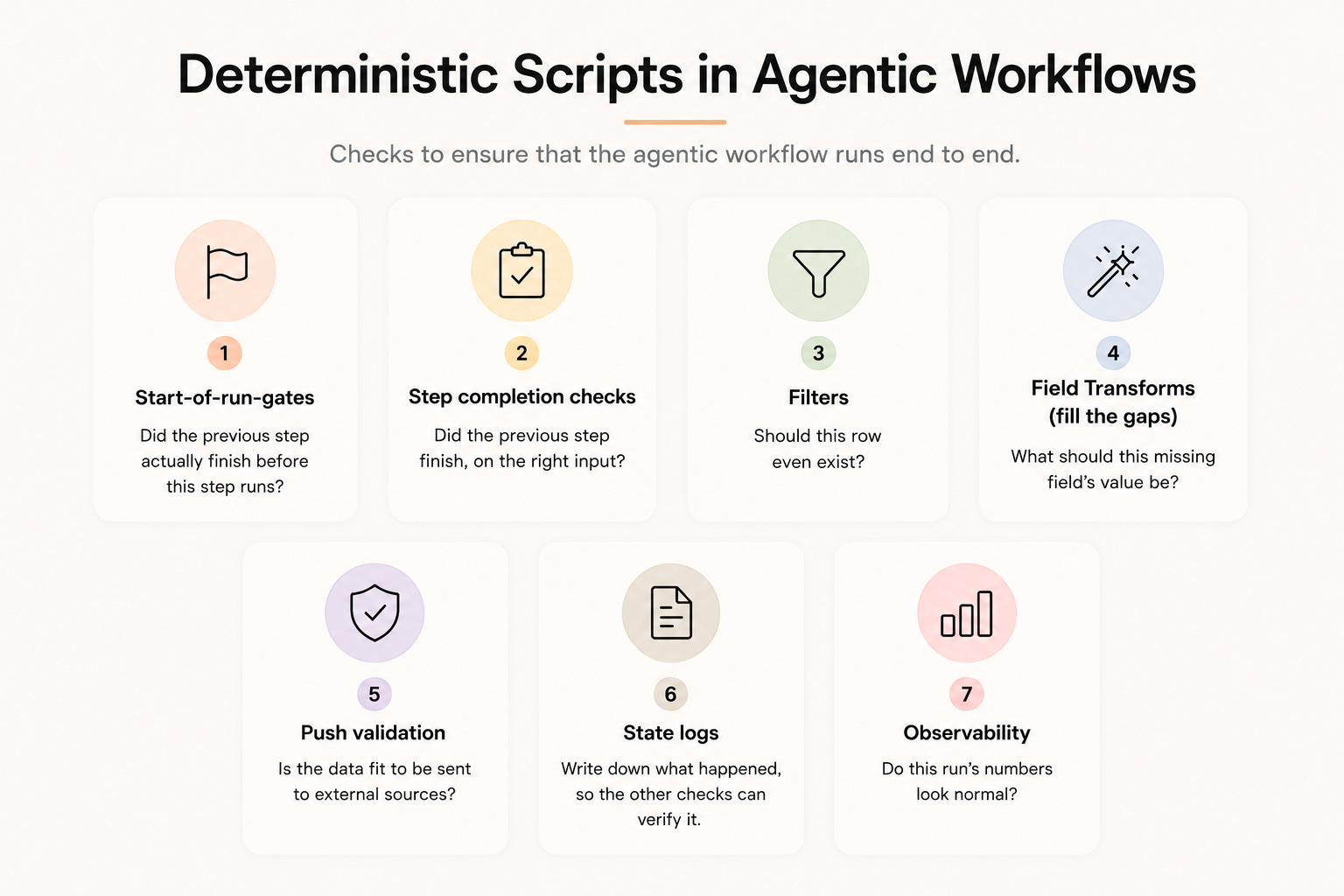
Across my agentic workflows, I have 7 different types of determinstic scripts (for now) that I keep reusing.
Each one catches a unique failure class.
Start-of-run-gates: did yesterday's run finish properly?
Step completion checks: did the previous step actually finish before this step runs?
Filters: should this row even exist?
Field transforms (fill the gaps): what should this missing field’s value be?
Push validation: is the data fit to send externally?
State logs: write down what happened, so the other checks can verify it.
Observability: do this run's numbers look normal?
#1. Start-of-run-gates: did yesterday’s run finish properly?
A script that checks two things before today’s run begins:
Did the previous run actually finish successfully?
Did the last step of the previous run get implemented?
Most steps get checked by the step after them. The last step has nothing after it, so if it gets skipped, nothing catches it.
And if the last step ran, the whole run finished cleanly, since every step before it had to pass first.
So this gate just confirms the previous run reached its final step before letting a new one start. This is what catches that invisible failure.
#2. Step completion checks: did the previous step actually finish before this step runs?
A script that runs before each step and won’t start it unless the step before it has actually finished. This keeps the pipeline running in the order I laid out, so no step gets skipped or runs ahead of its turn.
It also checks the input is the right one. The file this step reads should be the previous step’s real output, not an old or edited copy. It checks this with a fingerprint, a code based on the file’s exact contents. If the file changed at all, the fingerprint won’t match and the step stops.
Ordering / completion: step N refuses to run unless step N-1 has finished. This is what enforces that the pipeline is followed in sequence. IE you can’t run step 12 before step 11 is completed.
Right input: even if the previous step did run, the fingerprint confirms the file this step is reading is genuinely that step’s output, not a stale or edited copy.
So it catches two things: steps running out of order, and a step being fed the wrong file.
Software engineers call this approach DAG, a Directed Acyclic Graph. It usually used when steps stop running in a single line, say step 9 needs the output of both step 6 and step 8 before it can run.
The DAG spells out exactly which steps feed which, and this check reads that map before each step, refusing to start until everything it depends on has finished.
#3. Filters: should this entry even exist?
A script that goes through the list entry by entry and removes the ones that don’t meet your requirements. It’s a straightforward reject rule done via regex: the entry either passes or it gets dropped.
This saves you money and time. Filtering out the undesirable entries early means they never get passed into an LLM or an enrichment step downstream, so you’re not burning token credits or API calls on entries you were always going to throw away.
This helps to keep your agentic workflow lean, and it makes every run faster and cheaper.
#4. Field Transforms (fill the gaps): what should this missing field’s value be?
A script that fills in a missing field only by copying a value that already exists somewhere else.
As you work with more data providers, more often than not they don’t always return clean and complete data. This actually happens more frequently than you might think.
Fields come back blank, and when a blank field hits a downstream required-field check, the entry gets rejected, even if every other field is perfectly good. That’s a real entry lost to a single missing value.
The fix is a transform step that backfills the gap in a fixed priority order, pulling from other parts of the workflow that already have the same data.
Example: a prospect’s country is blank. The transform looks in order:
The person’s own record
The company’s record
A backup data source
Nothing found? The field stays blank, and the lead gets rejected at the final check
Why this matters: I find this very helpful to recover leads (or data) that would otherwise be silently discarded out over a vendor data gap that could be easily fixed by stitching with other data sources.
#5. Push validation: is the data fit to send externally?
A validation check that runs right before data leaves your system for an external platform.
It ensures two things:
Every required field has a value
The data is shaped exactly how the destination expects (a mismatch silently breaks the downstream tool).
Why this matters: the receiver of the data is more than likely hard-coded to expect a certain structure, such as certain variables and certain naming conventions. Especially when it’s being pushed into your CRM, specific fields are what trigger specific workflows.
A missing or misshaped field can silently break a downstream workflow that was supposed to trigger off the back of it. This check helps to prevent that from happening.
#6. State logs: write down what happened, so the other checks can verify it.
A record that every step writes when it finishes, noting what it did and what it produced.
Each record captures two things:
That the step ran. A completion stamp with the time, so later steps know this one actually finished.
A fingerprint hash of what it produced. A code calculated from the exact contents of the output file. Same contents always produce the same code, and changing even one character produces a completely different one.
Why this matters: it gives you auditability and a lock. The completion stamp means that when you need to go back and reference a past run, to debug or investigate a result that wasn’t ideal, you can see exactly which steps ran and which didn’t.
The fingerprint gives you the assurance that the files those steps produced haven’t been edited since, whether accidentally or incidentally. So when you read an old run back, you’re looking at what actually happened, not a version that quietly changed underneath you.
#7. Observability: do this run’s numbers look normal?
A record of the key metrics from every run, watched over time so an abnormal run would be flagged out to you.
The raw counts at each stage, like how many entries went in and how many came out.
The ratios that should stay roughly stable, like the share of entries dropped at a given step. If a number that normally varies suddenly goes flat or increases unexpectedly, that’s the signal something quietly broke.
Why this matters: by benchmarking your current run against historical data, the script will alert you when something's off. This is usually a sign a step has quietly stopped working.
I personally found this really useful as it let me catch the problem ahead of time and be proactive, instead of finding out weeks later and only fixing it after the damage is done (which happened to me btw).
Final Thoughts
If I had to boil it down to one rule, it's this: keep control flow deterministic, outsource only judgment.
I own the order things happen in. The agent only decides what goes inside a step, never what runs next.
What these checks do is make the results repeatable, so I can trust that whatever input goes in, the output follows the same path I laid out. That's the whole point of running an agentic workflow over an AI agent, which is you get the “repeatability of results”.