
I signed up for Claude Max a while back and have been having a ton of fun building GTM workflows on top of Claude Code. But once I started running agentic workflows, I kept hitting usage limits mid-way.
It’s quite disruptive and not really ideal.
The fix is actually quite simple. I aligned my workday to Claude’s session windows + configured a simple Claude Routine.
The “Say Hello” routine
I set up a scheduled routine that pings Claude Code with a simple “hello” at 3 fixed times every day.
Each ping kicks off a fresh 5-hour session window.
Trigger times:
9:30am, starts session 1
6:30pm, starts session 3
7:30pm, backup ping in case 6:30pm didn’t ping in a fresh session
Combined with a manual session I start late at night, this gives me 4 usable Claude sessions per workday.
It’s ClaudeMaxxing Time! - John
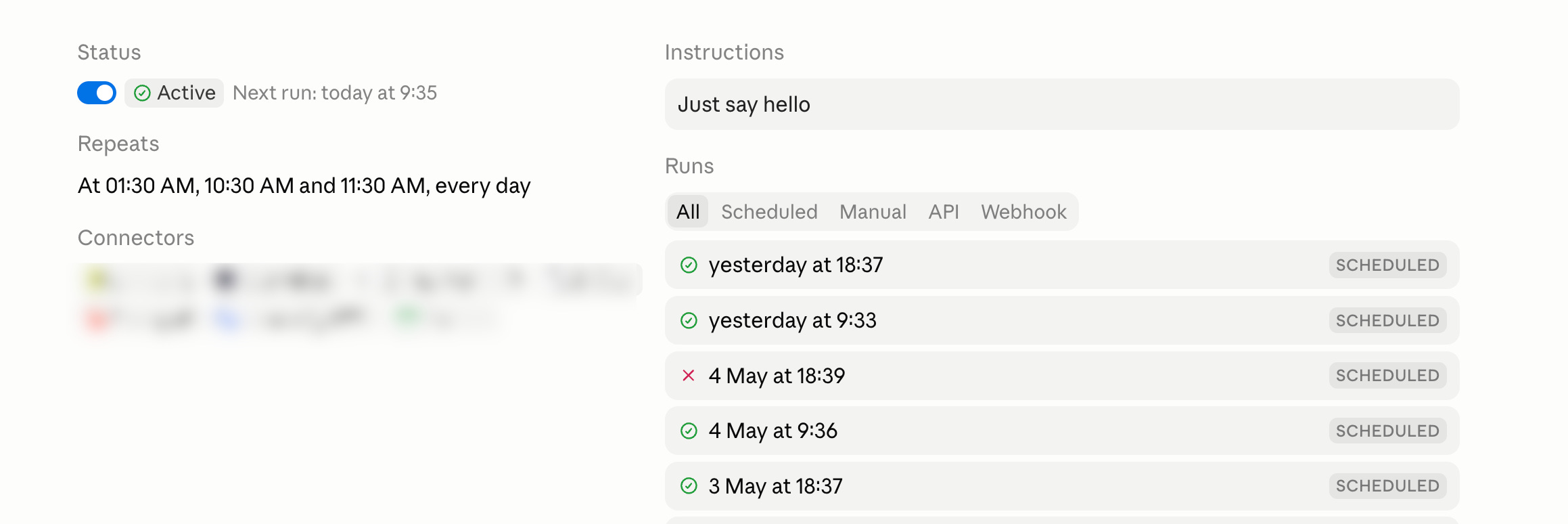
Note: For Claude Routines to trigger, you must not be usage limited during your current session.
Cron Expression: 30 1,10,11 * * *
My typical workday, mapped to sessions
9:30am: Routine triggers session 1
12:00pm: Work starts and I start using Claude in session 1
2:30pm: End of session 1, I manually start session 2
6:00pm: Dinner break (session 2 still running)
6:30pm + 7:30pm: End of session 2, routine triggers session 3
12:30am: End of session 3, I manually start session 4 for late-night agent runs (if any)
The 9:30am ping is the one that matters most. Especially when I’m busy with sending my kids to school.
6:30pm + 7:30pm ping is the next one. It kicks in while I'm having dinner with the family.
How to Setup Claude Routines
Claude Routines are scheduled prompts that work automatically at times you set, basically a cron job for Claude.
Here’s how to set one up:
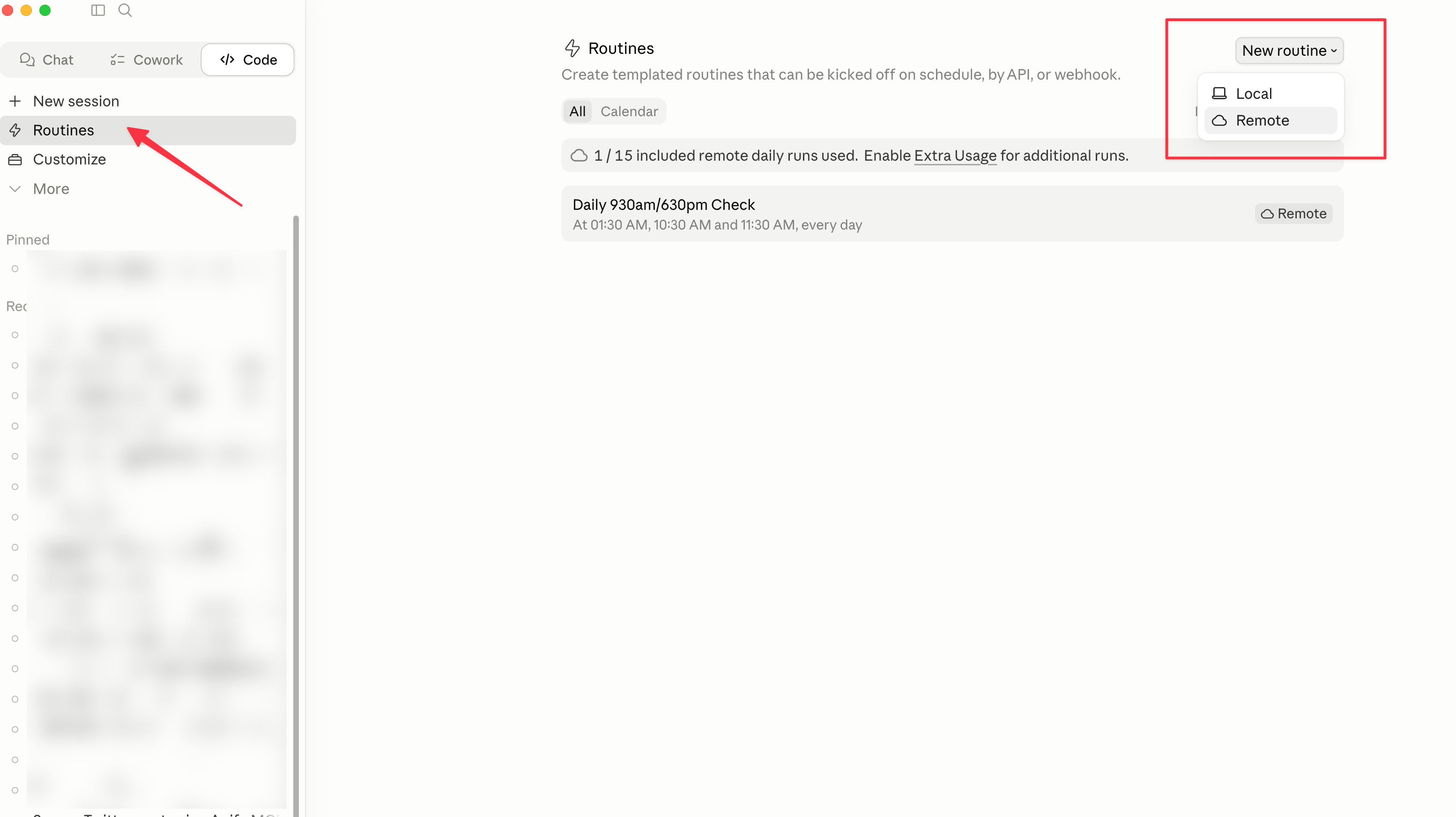
Open the Claude desktop app
Navigate to Code tab
Click on Routines
Select Remote (not Local)
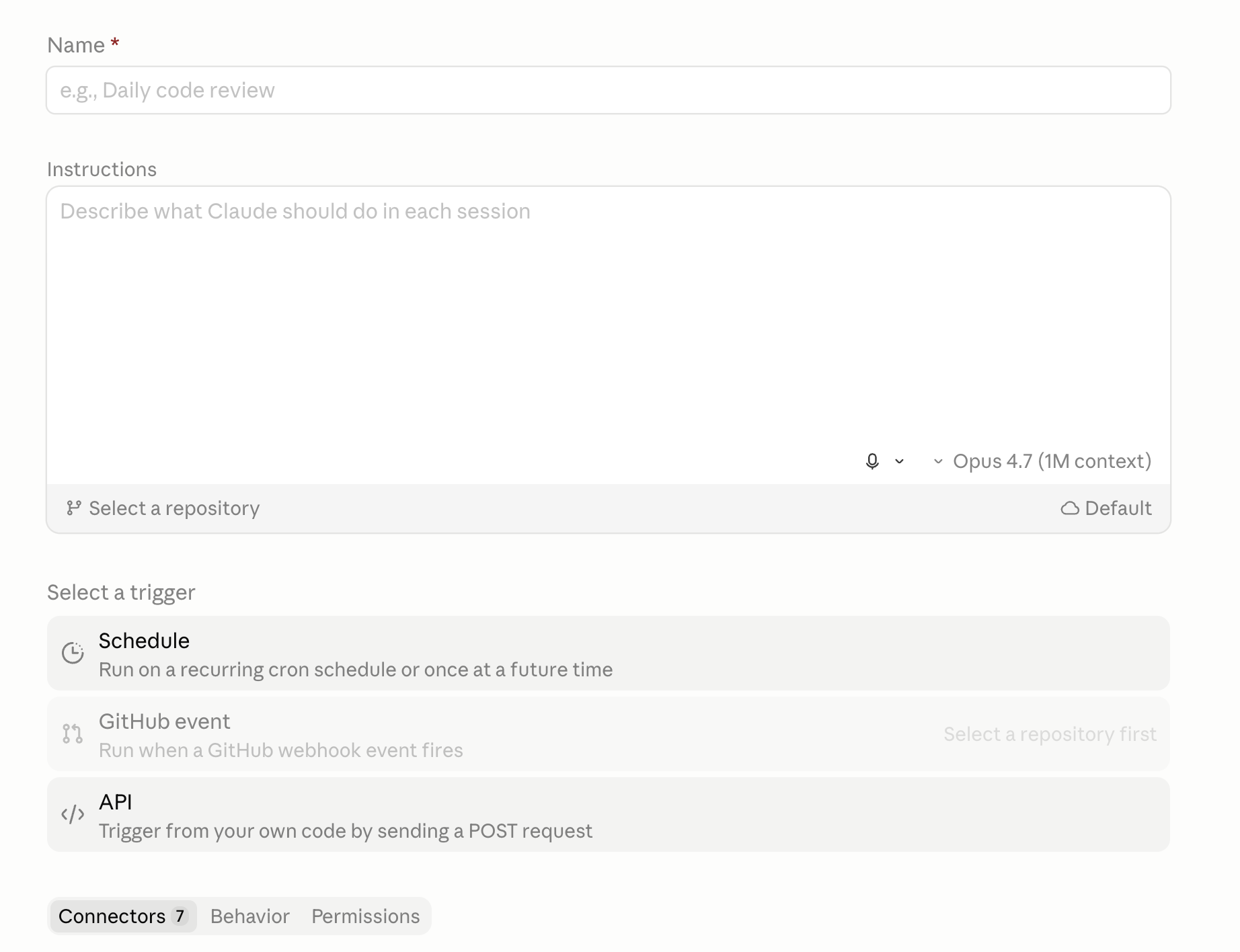
Write your routine instructions (mine is literally just “say hello”)
Hit Save
Quick note on Remote vs Local: Local routines need your laptop (or a VPS) running 24/7 for the routine to fire. Remote runs on Claude’s cloud infrastructure, so it’ll trigger whether your laptop is on or off.
For custom trigger times, the scheduling field is a cron expression. If you don’t know cron syntax (I don’t), just ask Claude Code to generate the expression for you and paste it into the scheduling section.
For reference, here’s what my three triggers look like:
30 1 * * *→ 9:30am SGT30 10 * * *→ 6:30pm SGT30 11 * * *→ 7:30pm SGT
Claude Routines schedule in UTC, not your local time.
Final Thoughts
I'm sure there are better ways of doing this. Pushing Claude Code CLI onto a VPS, using Trigger.dev, OpenClaw I haven't looked into yet. But at this moment this works for me the best.
Will probably change as I get more advanced with agentic workflows!