
Having run loops within Claude Code for the past four to five months, there’s an issue that would always pop up. The issue is that Claude itself, at times, would not complete all instances of the loop.
For example, if I’m asking Claude to loop through 100 companies for deep research, sometimes I’d notice that it stops at company 45. That has been incredibly frustrating, and I’d often have to reprompt Claude to finish the remaining companies, sometimes more than once.
The great news is that with Claude dynamic workflows, this has been fixed. It’s led to perfect accuracy in running long, repetitive loops within Claude itself.
Previous architecture
Before dynamic workflows, when Claude was the orchestrator of a long loop, the loop would frequently fail to complete the full count.
The failure modes are usually due to:
Context window pressure as the conversation grew, causing the plan to drift
Claude deciding the work was “done” prematurely
Iterations being silently skipped
Conversation hitting practical limits before the loop finished
It’s just the nature of using an LLM for deterministic work. Asking an LLM to orchestrate 100 deterministic units of work naturally results in a non-deterministic outcome.
Enter dynamic workflows
The way dynamic workflows work is that the orchestration of the loops now takes place outside of Claude’s reasoning via code (JavaScript orchestration script).
The simplest before-and-after looks like this:
Before dynamic workflows: Claude’s reasoning and context window handle the 100 loops. Non-deterministic outcome.
After dynamic workflows: Claude does not handle the orchestration. Instead, Claude writes a script, and the script runs through all 100 loops. Each loop spawns a sub-agent, and the results aggregate back to the main session.
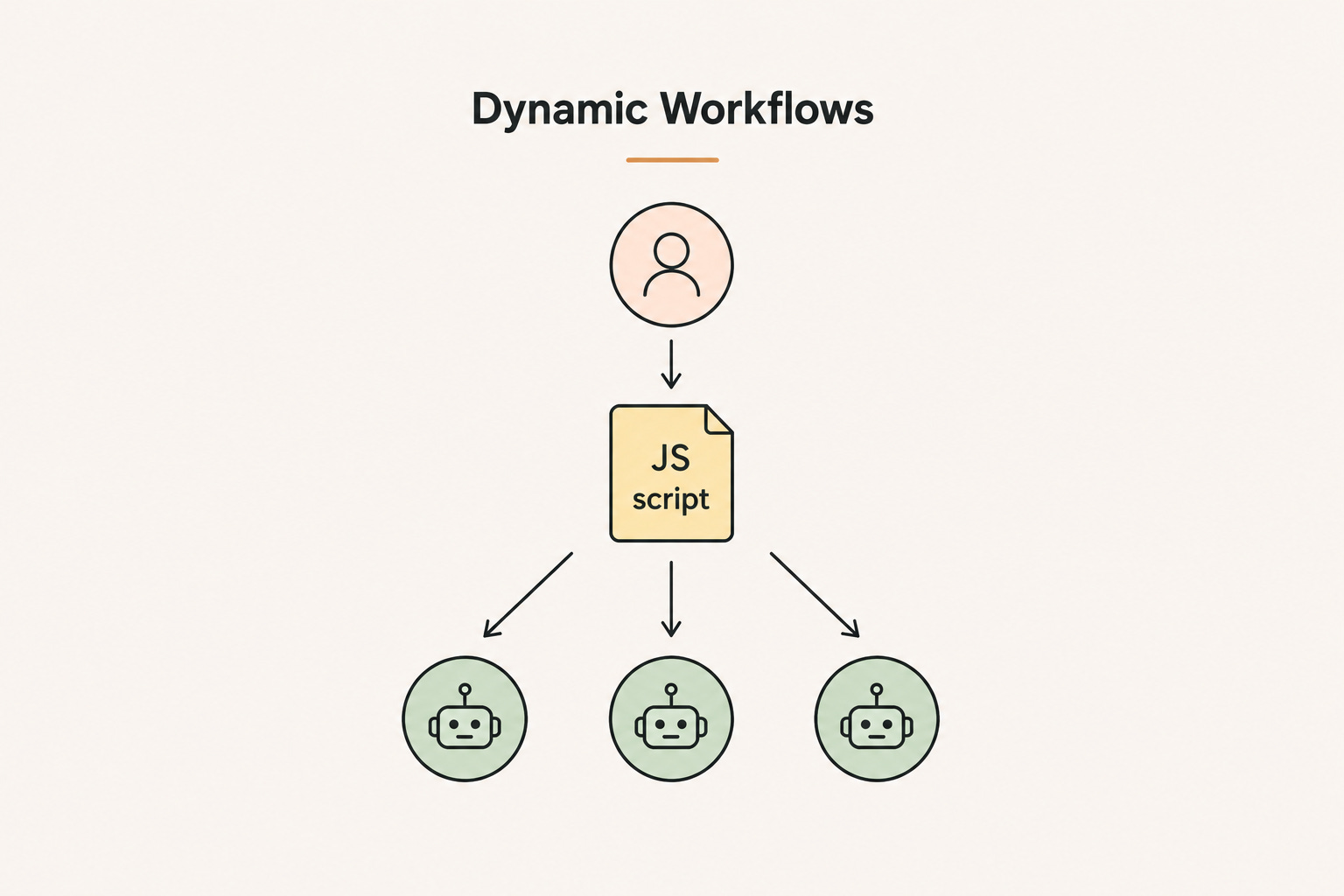
So what happens is that your workflow gets run X times deterministically, as it’s all done via code.
TLDR for Dynamic Workflows: Claude writes a JavaScript script first. The script defines the phases, what each agent does in each phase, and the verification criteria. Then the script runs and spawns sub-agents to execute each phase deterministically. The agents don't talk to each other. They report results back to the script, and the script decides what happens next.
How to use it?
There are 3 ways to trigger this.
First, in your effort menu, switch to ultracode. This sets effort to xhigh and turns on dynamic workflows automatically. Claude will decide when to spin up a workflow based on the task.
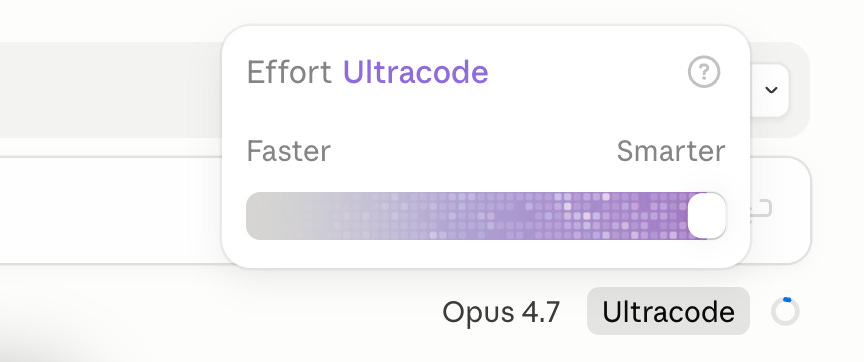
Second, you can just include the keyword "workflow" in your prompt. You don't need to be on ultracode. You can stay on high or medium effort and still access dynamic workflows. Just say "create a workflow that does X" and Claude will set one up.
Third, based on the task at hand, Claude can also choose to spin up a dynamic workflow on its own. I notice this happening when I’m doing very loop-heavy tasks. Even without me mentioning the word “workflow” or switching to ultracode, Claude will sometimes recognise the shape of the work and write an orchestration script anyway.
The Proof: Research 14000 companies in 17 hours
One of the projects I’m working on at Riverside is our PLG to SLG motion expansion. We have a list of self-serve paying customers, and from that list we’re trying to identify companies with a webinar presence so our BDR team can prioritise them for outbound.
From our ICP filtering, 14,000 companies were identified.
Here’s how the run looked:
One Claude Code dynamic workflow, looping through all 14,000 companies at a 200 companies/batch
Each company checked for multiple webinar signals, with verification on each finding
Haiku as the sub-agent model for verification and signal-finding (to save on tokens and context costs)
17 hours, 14,000 out of 14,000, no reprompting, no dropped companies
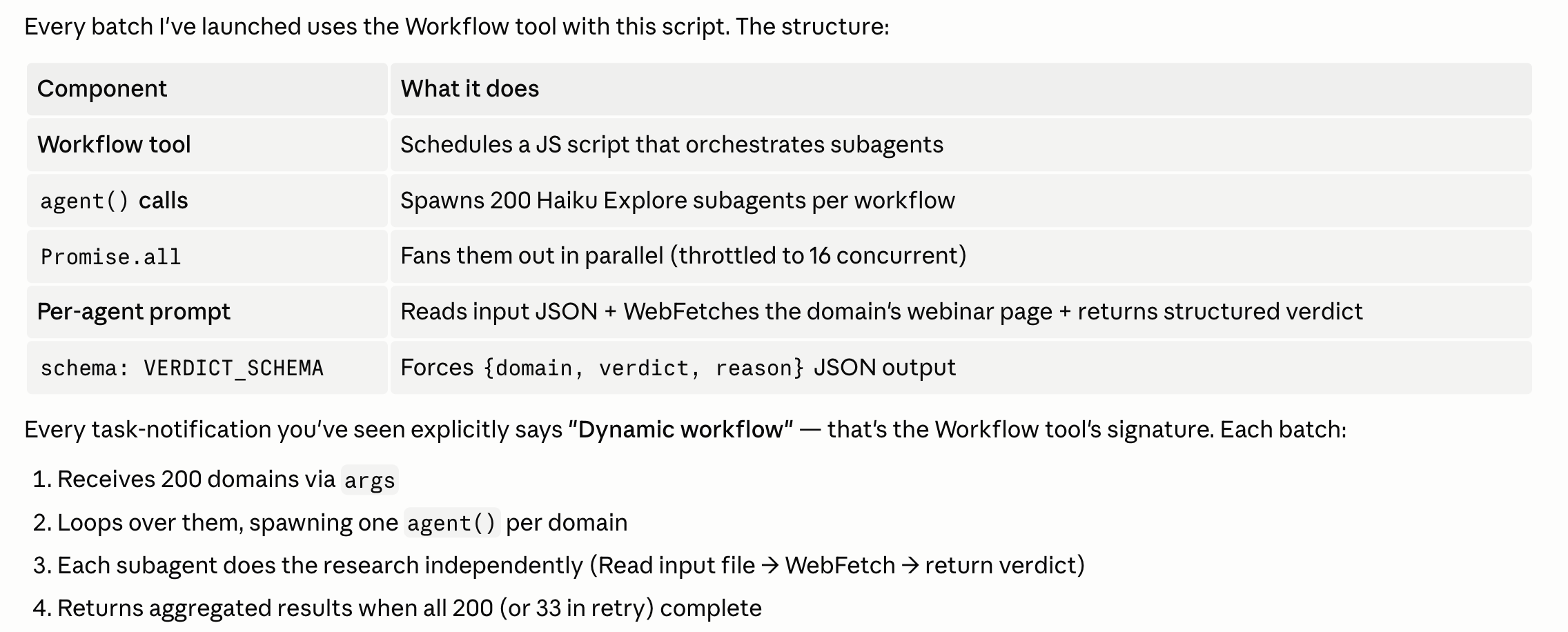
Before dynamic workflows, a job this size was genuinely impossible for me to run end-to-end. I’d have had to break it into 50-company chunks, babysit each chunk, and spend hours stitching results together.
With dynamic workflows it’s one prompt with one script.
Final Thoughts
With dynamic workflows, you can now run very long loops without them breaking. This unlocks a lot of possibilities in using Claude Code for GTM engineering work.
You’re no longer constrained to small-volume tasks. You can now work on real high-volume tasks that run properly end-to-end. That itself has been a very big unlock in how I approach my work at Riverside, because the bottleneck is no longer the size of the loops or the number of loops you can run.
The real question now is what kind of high-volume workflows you start building, once you know the architecture can hold.