
I might be a little late to the game on this one.
I actually knew about Claude Code Remote Control for a while now, but I always found it super cumbersome to enable for every session. So I never really used it.
But it was just last week that I discovered two fixes that let me enable Remote Control automatically for every new session: a 1-line JSON config, and a setting to turn on Remote Control by default.
Together, they’ve been a big productivity lift for me.
What’s Remote Control?
TLDR: Remote Control lets you start new Claude Code sessions, and control existing ones on your local machine, via your phone using the Claude app.
It inherits the same permissions as your local Claude Code session, meaning it can edit and create code the same way your local session can.
The Two Fixes
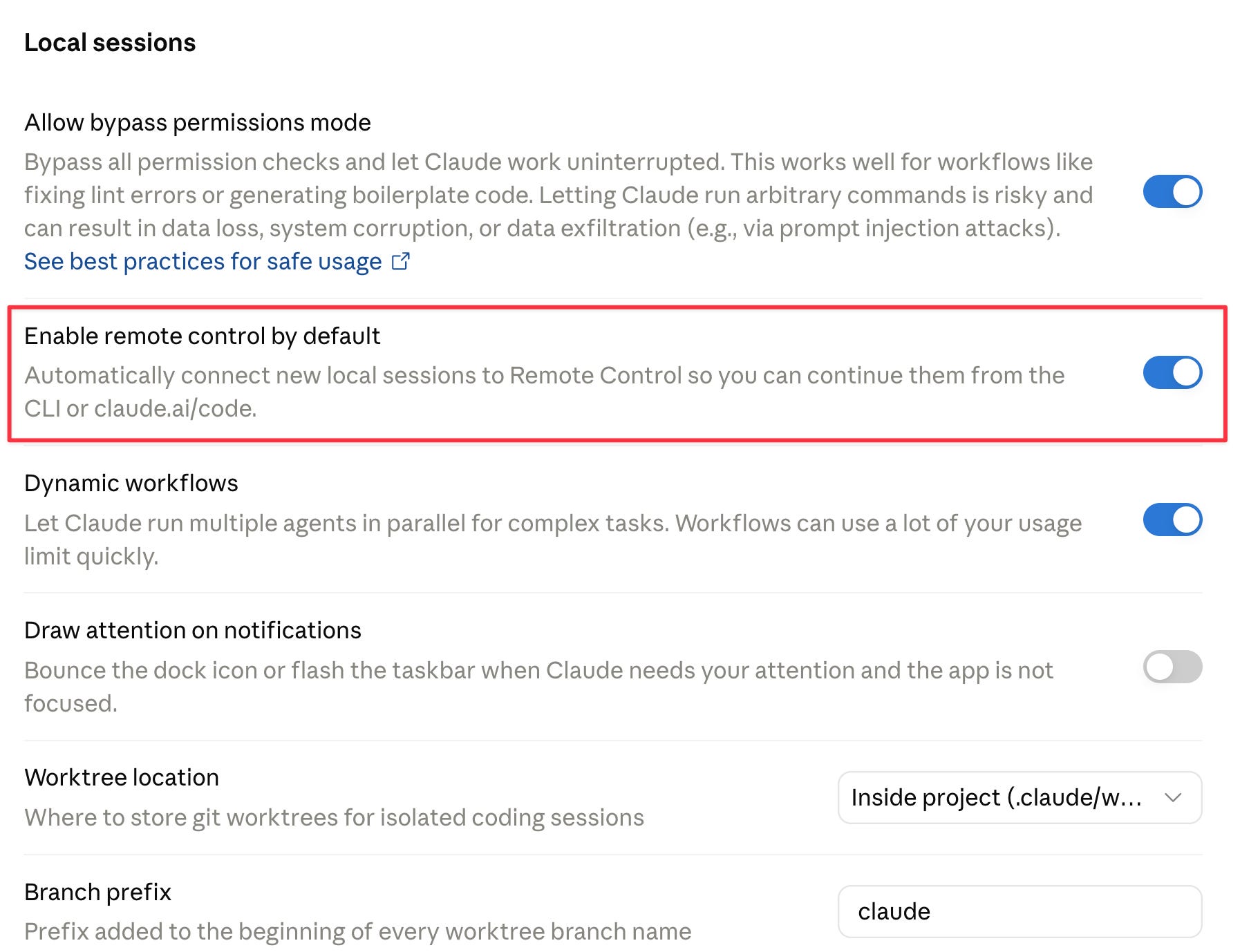
#1: Enable Remote Control by default
Apparently this was shipped quietly last month, with the default set to “off”.
Switch this on so that new local sessions are automatically “remote controlled”.
#2: A 1-line JSON key in my Claude settings file
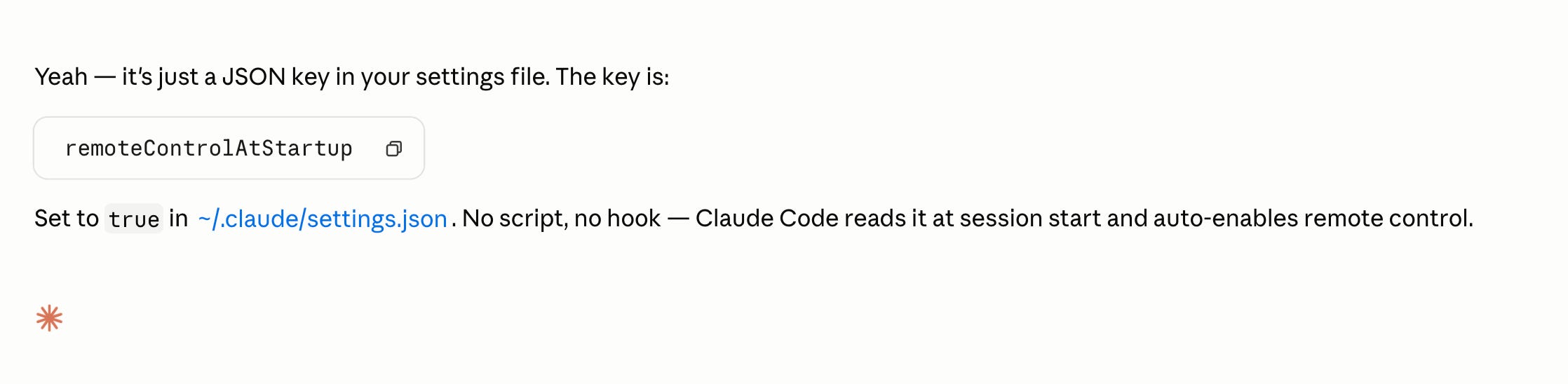
This enables Claude Code Remote Control on every new local session automatically.
Locate your settings file:
You can add the flag to ~/.claude.json or ~/.claude/settings.json.
Add the configuration:
{ "remoteControlAtStartup": true }
Why this matters? Turning non-desk time into building time
The first big unlock for me is that I can use time when I’m not at the computer as productive time.
Say I’m in the middle of building a workflow and I have to leave for lunch. With Remote Control, I can check the status of the workflow during lunch itself. Once a partial step has completed, I can prompt Claude Code via my phone to run the next step.
Every minute matters when you’re building, especially when Claude Code sessions take time to materialize. Turning away from desk time into working time is a real lift.
The second unlock is for the agentic workflows I run daily. I have 3 to 4 scraping workflows for outbound prospecting, and with Remote Control I can schedule and trigger these scripts from the Claude app, instead of needing to be at my desk.
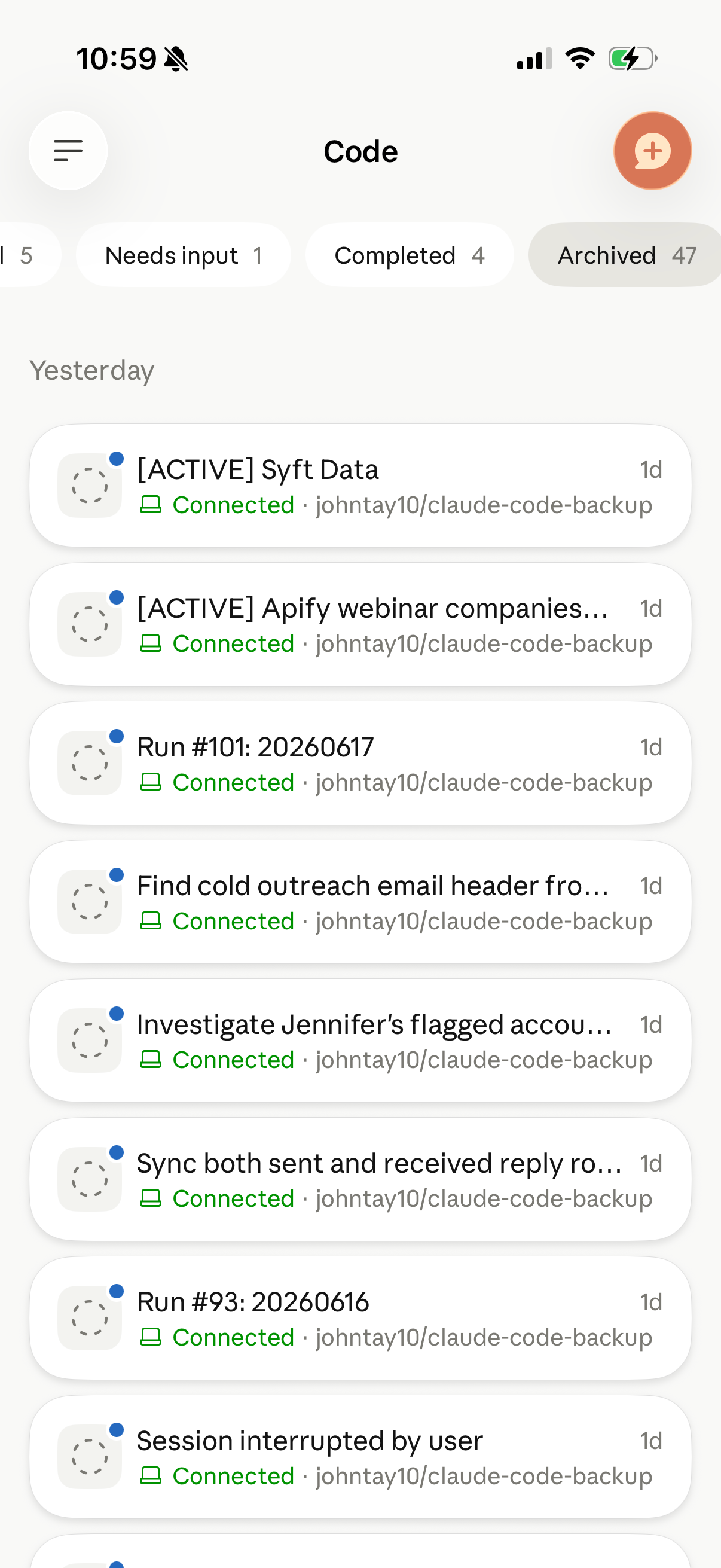
How it looks like in the Claude mobile app?
Final Thoughts
I’ve really caught the builder bug recently. Building marketing workflows with Claude Code is just so addictive. There’s so much to work on, so much to build, so much to explore.
At times it’s really exciting, yet scary enough that things in the AI space are moving so quickly.
I’d end off by saying… Always be building tokenmaxxing and claudemaxxing!