
After doing AI marketing and GTM engineering at Riverside full-time for about nine months now, I just wanted to share my experience with using AI in marketing.
Based on my personal experience, I’d broadly categorize AI marketing into five levels. I think these are the natural progress of my AI marketing journey so far.
Here’s how I think about them.
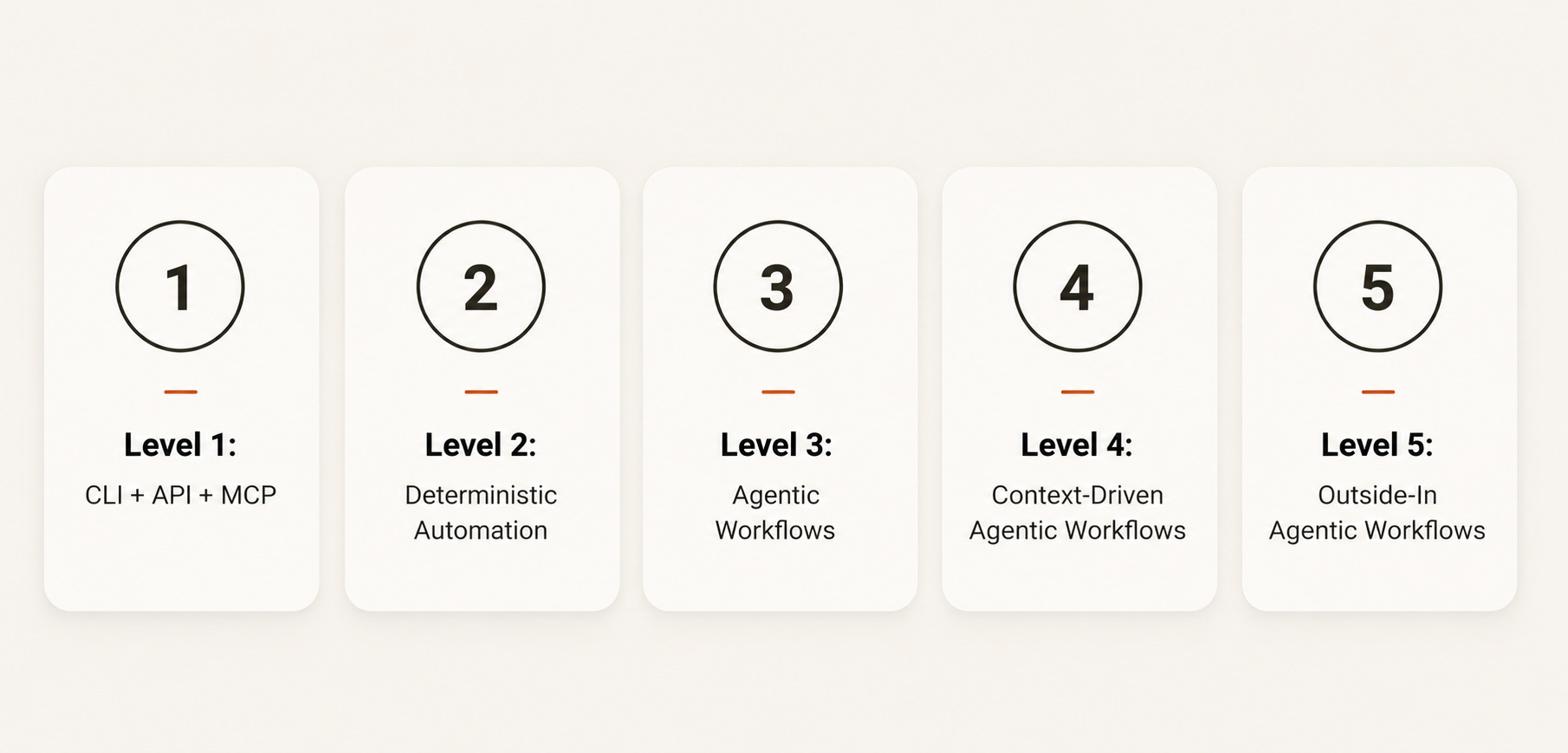
Level 1: CLI + API + MCP
Traditionally, the way of work is that you’re always working through the GUI. This is the graphical interface where you log into your SaaS tools (Facebook Ads, Google Ads, HubSpot, Apollo, Instantly), clicking ABC to get to result XYZ.
I’d label that as the “old” way of work.
The new way of work is to ditch the GUI and work directly from the terminal itself (CLI + API + MCP). The reason why is that working directly from the terminal helps with a couple of things:
It’s super fast. You don’t have to click through five or six screens just to get to the data you want.
You can get data that might not even be surfaced in the UI. The UI shows what the product team decided to show, not necessarily what your specific question is.
You can easily combine data across different tools, or even across different views within the same tool.
The easiest example I can give is from cold outbound on Instantly. If I want to see blended results across all my campaigns (emails sent per day per campaign, positive reply rate per campaign, bounce rate per campaign), I can’t get that in Instantly’s GUI. I’d have to click ten, twenty, sometimes thirty times across different screens, export three or four separate reports, and combine them manually.
With CLI (API + MCP), I can pull all of that with a single script. I’ve tried it myself, and it’s been a huge time saver. Tasks that used to take me three or four hours, I can now get done in ten minutes.
I'd say this is the foundation of any AI x marketing work.
Level 2: Deterministic Automation
As with any marketing job, there are quite a fair bit of tasks that are important to your marketing activity, yet they’re repetitive in nature.
Once you have CLI, API, or MCP access, you can turn these repetitive tasks (i.e. deterministic tasks that follow a specific sequence) into automation scripts written in Python using natural language. Instead of going through every single step individually, your script does the same thing at a fraction of the time.
Two examples from my own work:
#1: A simple skill that checks the availability of an email domain.
Previously, I’d have to individually log in to a registrar (Namecheap, Dynadot), paste the domain name, and check if it’s available to register. Two to three minutes per domain, which adds up fast when you’re working through a list.
Now the deterministic automation script handles it in seconds.
#2: A cron job that pulls my Instantly outbound campaigns into a dashboard every Monday.
Previously this required multiple exports out of Instantly and joining the data manually which took hours.
Now the cron job just runs and the dashboard updates itself every Monday in minutes.
Level 3: Agentic Workflows
The next level of AI marketing is when you’re trying to automate marketing work that is repetitive in nature but doesn’t fit into a deterministic pathway. That’s where you need agentic workflows.
The intention of an agentic workflow is to let you get from step A to step G, with AI making certain decisions for you in the middle of the steps.
The best way I can put it: if the variance in the decisions you’d need to make is too huge to list down one by one, that’s where an agentic workflow comes in.
Let’s say I’m finding B2B influencers, and I only want the ones working in marketing.
From a job title perspective, there are hundreds (if not thousands) of permutations under the marketing umbrella, which means filtering them out via deterministic script isn’t really possible.
With an agentic workflow, you just tell it you want to filter by marketing, and it goes through all of them and does the filtering for you, without having to label every variation one by one.
Based on how I craft them, an agentic workflow has three parts:
Instructions. What you want the workflow to do, in plain language.
Examples. Sample outputs that show what good looks like.
Edge cases. After you’ve run it five, ten, twenty times, you notice the cases that broke or surprised you. You add those notes back in for future runs.
Think of agentic workflows as a living, breathing machine. Every run is building the foundation of the next run. You’re adding more instructions, more parameters, and more notes on how the workflow should behave in situations that aren’t deterministic.
Level 4: Context-Driven Agentic Workflows
Context is a term that’s getting thrown around a lot in the GTM space right now. There are many different understandings of it floating around, and honestly there isn’t a clear universal definition yet. Which is fair, we’re all still figuring this out.
The way I’d describe it:
Context = you know what’s good, based on your own judgement and your actual campaign data.
Two things make up “what’s good”:
Personal judgement. What you’ve learned from doing the work.
Campaign data. What’s actually been working based on results.
This is really where Level 3 and Level 1 come together:
Level 3 is where you’ve crafted the agentic workflow using your own judgement.
Level 1 is where your API/MCP/CLI access lets you pull real campaign data.
Level 4 is putting those two together.
A concrete example from my own work
I have a base agentic workflow for my outbound campaigns. It’s been doing quite well.
Recently I started crafting new outbound campaigns for new signals, and I fed in all the positive reply rates I’d gotten from past campaigns to see what kind of template and structure tended to work well.
I noticed that 49% of my positive replies had a very specific structure in common. I then used that structure as the base for the new workflows.
Building context takes time. You need to have run enough campaigns to have outcome data worth extracting as context. But once you have it, that's where you can start adding that context into your workflows, which helps to further accelerate the results you're getting.
Level 5: Outside-In Agentic Workflows
At Level 4, your context is internal, bounded by what you’ve already tried.
Level 5 is when you start bringing in ideas from outside your own context (including from outside marketing) and incorporating them into your workflows.
An actual example from my current role at Riverside. I have some SEO background, so I know about backlinks and that they’re captured by tools like Ahrefs. I adapted that into my outbound function by extracting the backlinks of my webinar competitors.
The result: a list of companies that have organised webinars recently.
That’s a prospecting motion that doesn’t come from pure outbound thinking. It comes from SEO thinking.
The biggest limitation here is time. Levels 1 to 4 free up the time you need to read broadly and spot ideas worth borrowing.
Where I’m taking Level 5 next is using AI itself to synthesise patterns at scale, from sources I couldn’t read manually. For example, pointing Claude at 50 industry case studies in a niche, or feeding in newsletters from the top 10 operators in a space, and asking it to extract the underlying mechanics.
It’s still a work in progress, I haven’t really figured this out yet.
Closing thoughts
Just wanted to share own perspective from nine months of doing AI marketing + GTM engineering, and I’m sure six months from now this could look really different. The space is moving so fast that what feels like a clear five-level progression today might look completely different by next year. Honestly, that’s part of what makes this work interesting to me. I’m learning something new almost every week.
This is purely my own personal experience and how I think about it today. Would love to hear what has worked for you, or where your own levels look different, in the comments.