
I launched an outbound campaign recently with full of high hopes as these were highly targeted prospects right in our ICP.
The numbers, just so you know what we’re working with:
Day 1: 800 prospects, 7 OOO replies, 0 positive replies
Day 2: 800 prospects, 1 OOO reply, 0 positive replies
Overall the results are very disappointing, considering the copy was a variant of something that’s really performing for us. That’s where I started to dig deeper.
What I did before launching
Before any campaign goes out, I run an inbox placement test using EmailGuard. The way it works is quite straightforward.
They maintain a huge list of Google and Microsoft corporate email accounts, and you send your outbound email to them. They then track how many of your emails land in inbox versus how many get filtered into spam.
The mechanics of the test are simple. I use one sender from one domain per domain batch, and I run the exact copy I plan to use in the actual campaign to check if my copy + sender combination is reaching inbox.
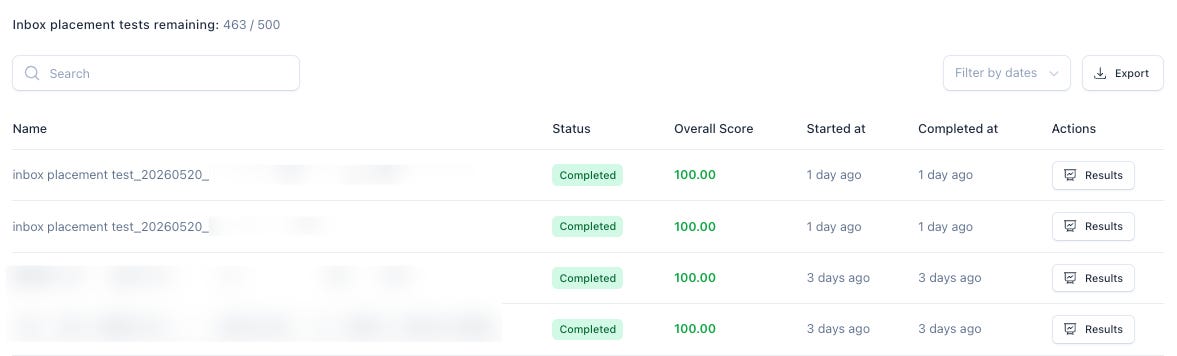
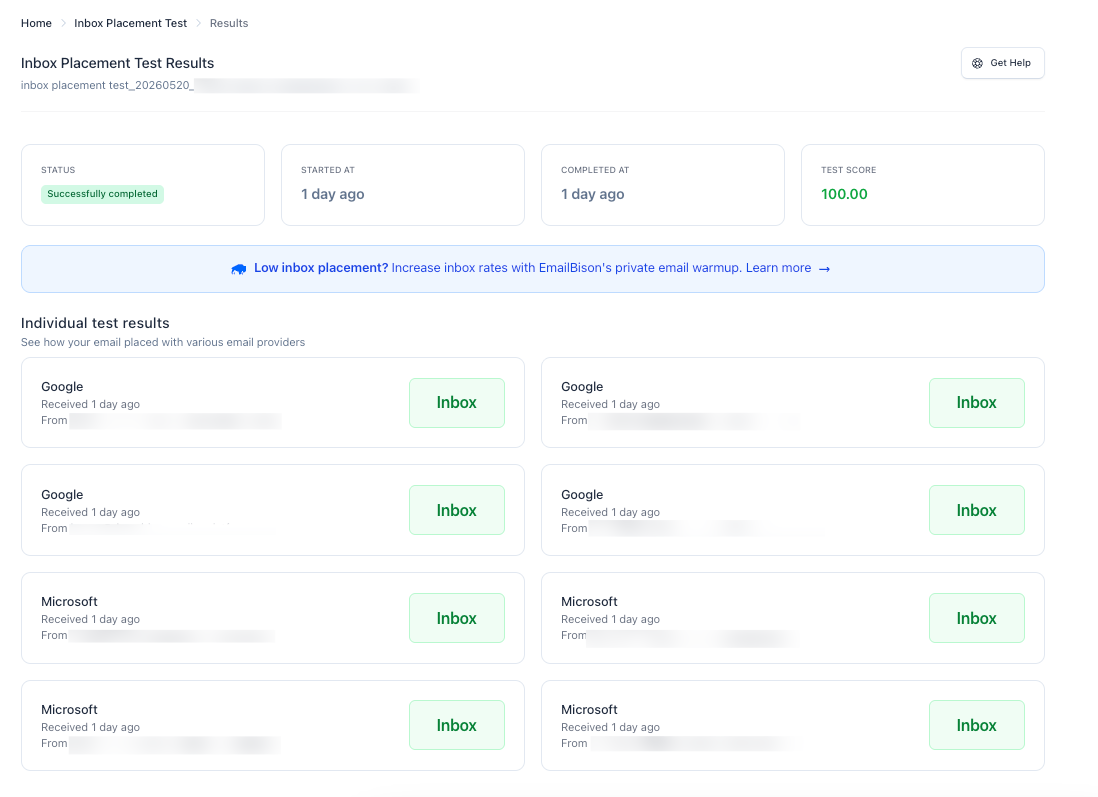
For this campaign, the result came back 100% inbox rate across 8 seed accounts (4 Google, 4 Microsoft). On paper, good to go.
What happened when the campaign went live
I started the campaign at 800 sends per day.
Day 1 came in at 7 OOO replies and 0 positive replies. Not amazing, but I’m thinking that perhaps it’s just too early to make a conclusion. Sometimes the first day is slow and things pick up.
Day 2 came in at 1 OOO reply and 0 positive replies. That’s when the alarm bells started ringing.
1,600 prospects in, and with results this weak, it’s statistically significant that something isn’t performing the way it should.
So I started digging deeper.
First suspect: deliverability
If your cold emails aren’t reaching the inbox and instead going to spam, nothing else matters.
The copy doesn’t matter. The offer doesn’t matter.
So that was the first place I looked.
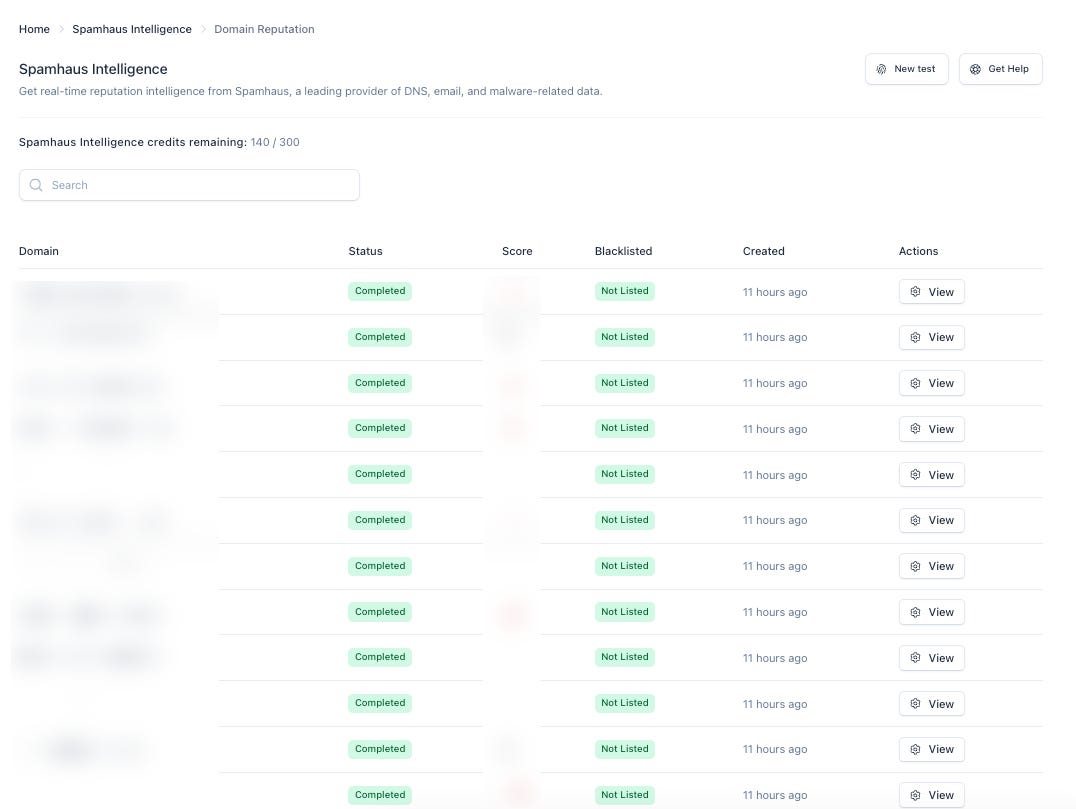
Check #1: Spamhaus Intelligence
Checks your domains against Spamhaus blocklists (DBL, SBL, XBL, PBL, ZEN).
Spamhaus is the biggest, most widely-used blocklist in the industry.
Receivers like Gmail, Outlook, Yahoo lean on Spamhaus signals heavily.
If you’re on Spamhaus, you’re effectively blocked at major inboxes.
Results? All clear
Check #2: SURBL Checks
Checks your domains against SURBL lists (a different set of blocklists).
SURBL focuses on domains that appear inside spam email bodies (links/URLs) rather than sending IPs.
Less broad than Spamhaus, but still used by many spam filters as a secondary signal.
Results? All clear too.
Check #3: Manual inbox check
Being on the cautious side, I also ran a manual send from an expanded sender list.
20 senders from 20 different domains, sent to both my work email and my personal email.
I find this approach really useful for getting a real read on inboxing rate, because it goes beyond just 8 seed accounts.
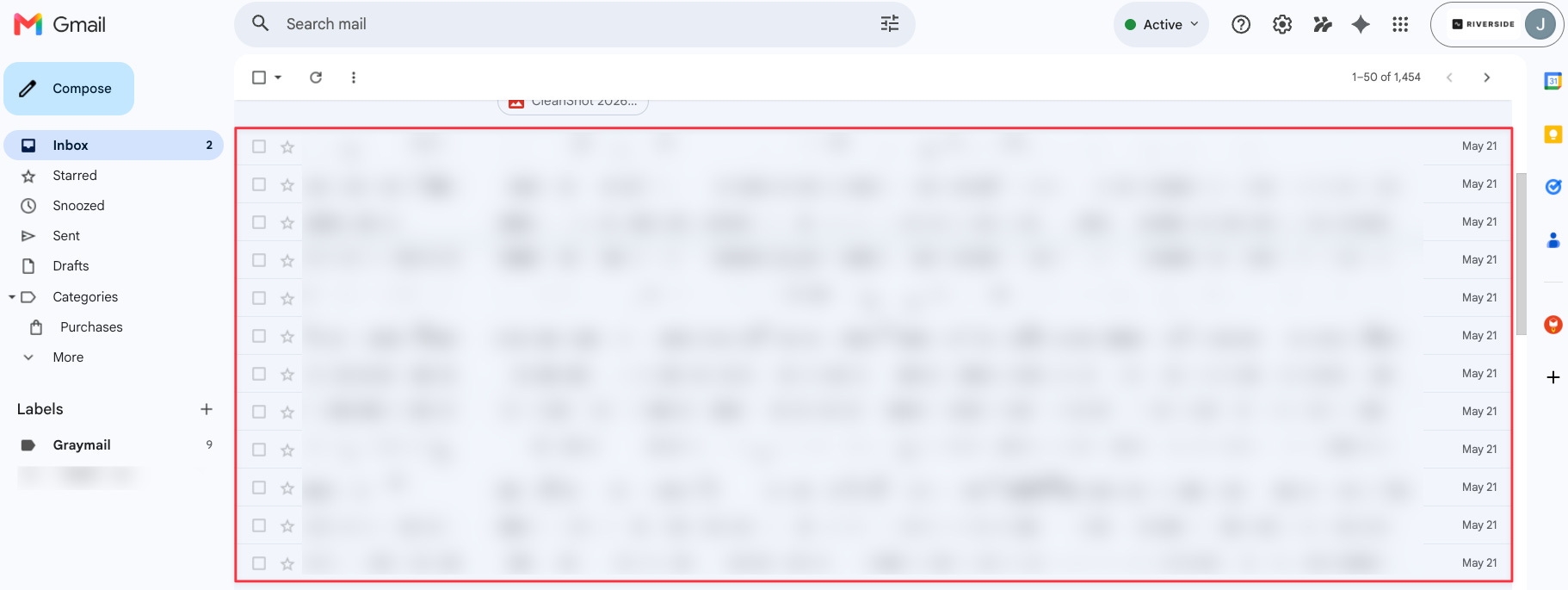
Work email
20 sends // 15 inbox // 5 spam
Personal email
20 sends // 17 inbox // 3 spam
Overall still a decent result. Not perfect, but not bad enough to explain a reply rate like this.
Second suspect: content fingerprinting
My next hypothesis was content fingerprinting.
The way this works is when Google or Microsoft sees repeated sends using the same copy variant at high volume, they can fingerprint that copy and start routing it to spam.
For this campaign, I decided not to use spintax. I ran the exact same copy throughout, partly to keep things clean for analysis. That’s why this became my next suspect.
Honestly, this seems to be most plausible explanation given what I’ve ruled out. It’s also the most straightforward lever I can actually pull right now.
What I’ve changed
A few things I’ve changed to this active campaign:
Changed the opener: The previous one was a rhetorical question, which doesn’t really invite a clarification reply. I changed it to a function-based question (something like “Are you in charge of XYZ?”) that gives the prospect a clear reason to respond.
Shortened the body: Made it more direct
Added spintax to the CTA: 10 variations to minimise content fingerprinting going forward
Diagnosing an underperforming outbound campaign should always start with email deliverability first. Check that all the fundamentals are in place. Run the spam checks, the domain checks, the inbox placement tests, before you even consider rewriting the copy.
But when all those checks come back green, the next highest-performing lever you have is the copy itself. That’s where the spintax, the opener, the body, the CTA all come into play.
Where I’m coming from is this: always work with the levers you have.